
Inconsistent names
Families and types named with no common rule, hard to use in schedules.


CASE STUDY · BIM AUTOMATION
Before project handover, the Revit model had to follow a strict naming standard and feed the schedules of the digital O&M (as-built) documentation. Rather than fixing elements one by one by hand, EUNIQ developed five Dynamo scripts that check, correct and log every change.
At project close-out, accumulated modelling errors come at a price: wrong schedules, unusable handover data, back-and-forth with the client. Six pain points came back with every version.
Families and types named with no common rule, hard to use in schedules.
The equipment model number was missing from the type names required for handover.
In-place families, hard to check, quantify and reuse.
Light fixtures stacked in the same place, skewing quantities.
View filters piling up over the project, bloating the model.
Long, tedious checks to repeat with every new version.
Every script follows the same logic: nothing is changed blindly, everything is documented.
STEP 1
Automatic diagnosis: in-place objects, duplicates, unused filters, non-compliant names.
STEP 2
Preview mode: every fix is listed before it is applied.
STEP 3
Renaming to the standard, adding the manufacturer model, removing duplicates.
STEP 4
A report on every run; conflicts are flagged for a decision, never settled silently.
Adds the manufacturer reference at the start of type names listed in handover schedules.
Families and types in capitals, no accents, EL_ prefix, with preview and conflict detection.
Report by category, level and workset, and direct selection in Revit.
Finds elements of the same type at the same location and keeps a single instance.
Compares filters used in views with those in the model and deletes the unused ones.
Each script states what was changed, skipped or left in conflict.
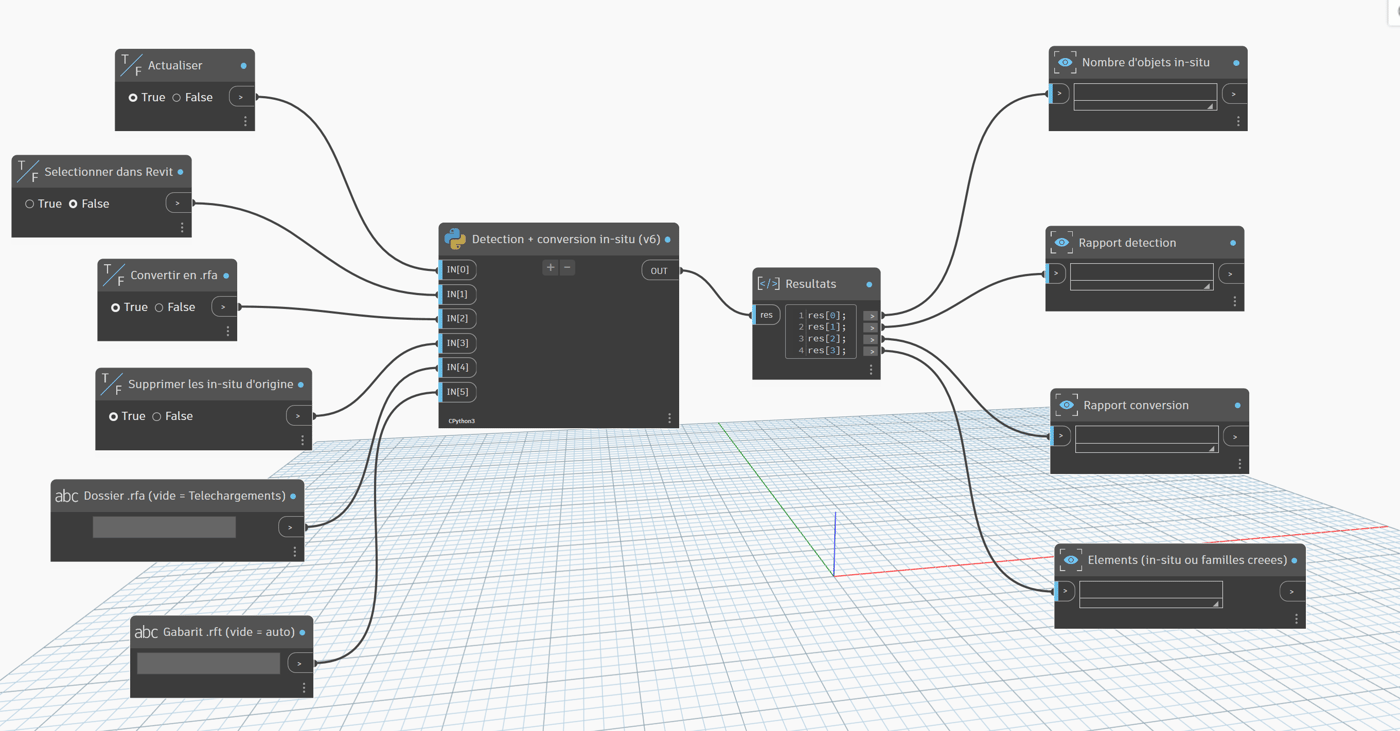
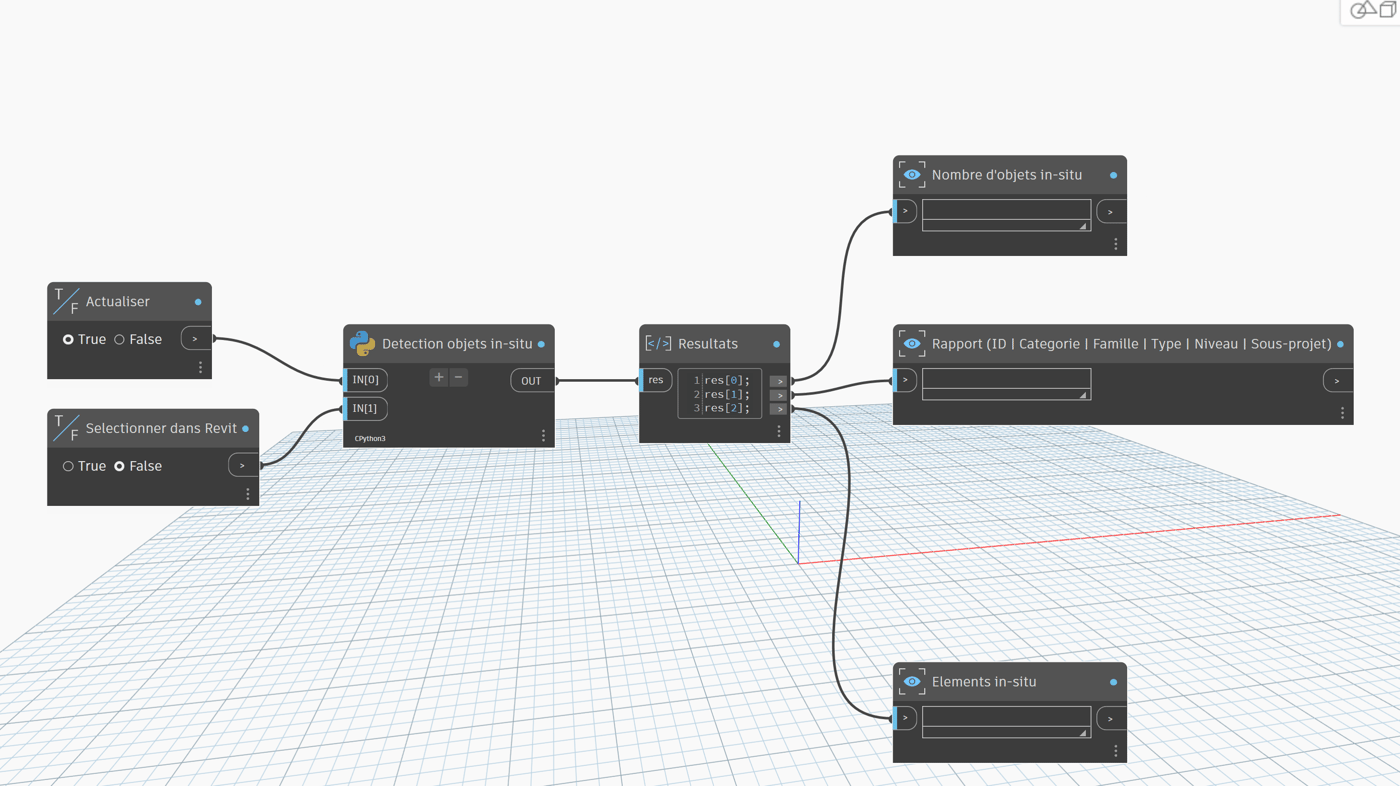
First screenshot, the initial version: detects in-place objects, reports category, family, type, level and workset, and selects them directly in Revit. Second screenshot, version 6: the same graph also converts in-place objects into loadable families (.rfa), with a configurable template and output folder, and can delete the originals once the conversion has been checked.
OUTCOME
Every new model version is checked in one click, with exactly the same rules.
OUTCOME
Preview mode and reports let you validate before applying.
OUTCOME
Standardised type names carrying the reference the facility manager expects.
OUTCOME
Naming conflicts are listed and settled with the team, not fixed silently.
Naming, parameters, duplicates and in-place objects, at every upload.
Schedules, manufacturer references and operations data.
Filters, views and unused elements, for lighter models.
Get started with Dynamo and the Revit API to automate in-house.
A BIM quick-scan identifies, in a few days, which checks to automate first on your projects.
No. They run from Dynamo with simple settings. We train your teams to use them.
Yes. Prefixes, naming rules, categories and target schedules are configured to your standards.
Changes run inside an undoable Revit transaction and are logged in a report.
Yes: checking, coordination, handover. We develop Dynamo and Python scripts tailored to your workflows.
Tell us about your repetitive checks: we will tell you what can be automated, and how.
CALL BACK WITHIN 24 H
An engineer calls you back to clarify the need, scope and timescales.
PROPOSAL WITHIN 48 H
A commercial proposal can be sent within 48 hours of receiving your input data.